ReadyFS native SD2IEC screenshot walkthrough
These physical C64 Ultimate and attached-SD2IEC screenshots follow folder round trips and explicit image transitions. Device 10 and the named fixture roots belong to that recorded setup. Use a fresh folder of your own; consult the native support reference before making changes.
User guide · Current acceptance
Setup omitted from the edited video
LAB points to this run’s owned host root. CARD is assigned visibly in chapter 1. Use a new folder of your own rather than reusing these evidence fixtures.
ALIAS LAB u:/USB1/READYFS_TEST/readyfs-20261013-162951-8006
01 · Find the SD2IEC
Device, partition and folder are separate choices. In 10.1:/..., 10 is the IEC device and .1 is partition 1. The recording uses partition 1; another existing partition on the same device would use 10.2:/.... 10:/... means the current partition instead. IEC 10: PARTITIONS lists available partitions; IEC 10: PARTITION 2 queries partition 2 without selecting it. See the partition reference for explicit selection and image-mount behavior.
Step 1
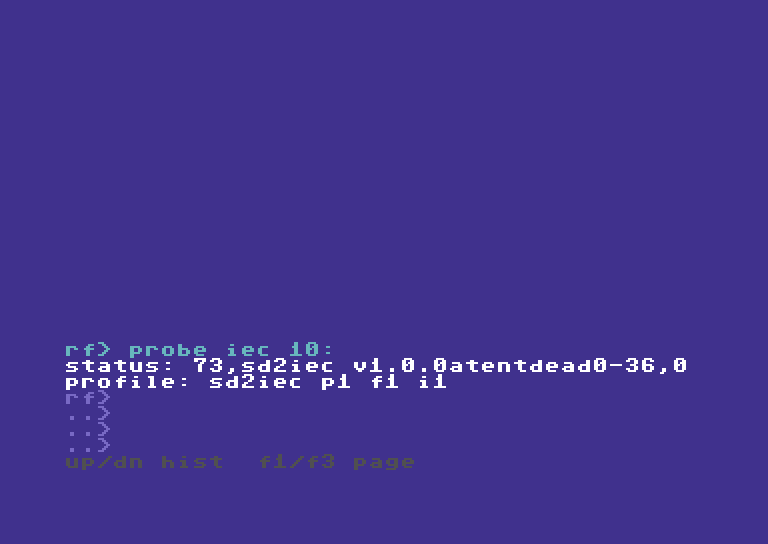
Detect the attached SD2IEC through native IEC.
PROBE IEC 10:
Read the screen text
RF> PROBE IEC 10:
STATUS: 73,SD2IEC V1.0.0ATENTDEAD0-36,0
PROFILE: SD2IEC P1 F1 I1
RF>
..>
..>
..>
UP/DN HIST  F1/F3 PAGE
Step 2
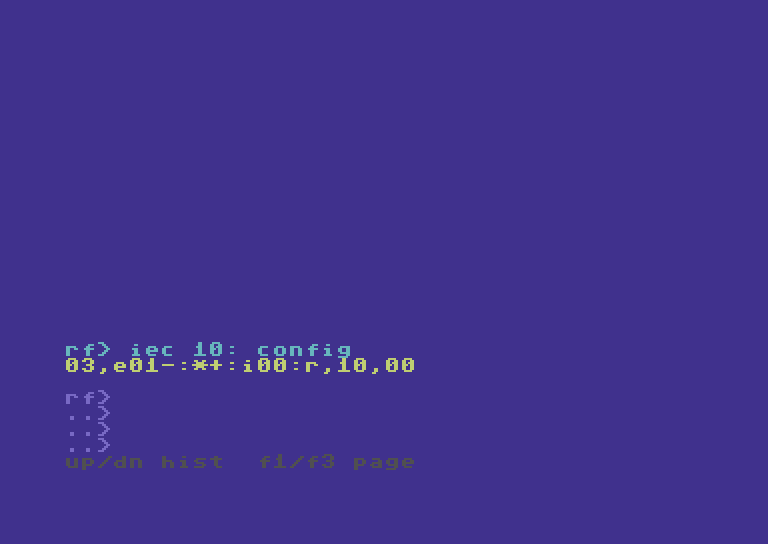
Inspect settings without changing or saving them.
IEC 10: CONFIG
Read the screen text
RF> IEC 10: CONFIG
03,E01-:*+:I00:R,10,00

RF>
..>
..>
..>
UP/DN HIST  F1/F3 PAGE
Step 3
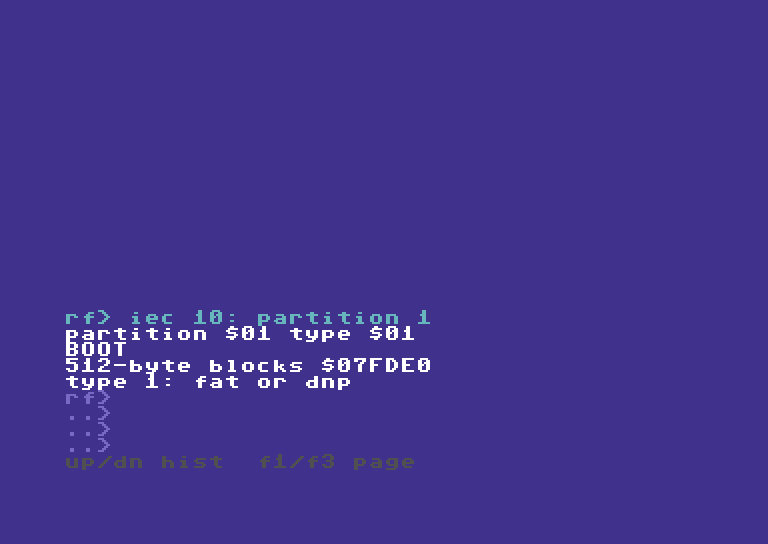
The partition reply distinguishes mounted flat images from FAT/DNP.
IEC 10: PARTITION 1
Read the screen text
RF> IEC 10: PARTITION 1
PARTITION $01 TYPE $01
boot
512-BYTE BLOCKS $07fde0
TYPE 1: FAT OR DNP
RF>
..>
..>
..>
UP/DN HIST  F1/F3 PAGE
Step 4
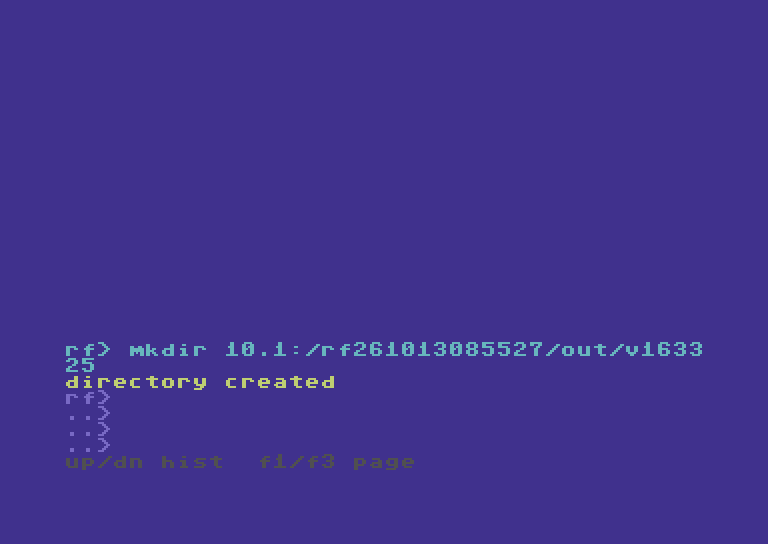
Create a fresh folder inside the owned SD test root.
MKDIR 10.1:/rf261013085527/out/v163325
Read the screen text
RF> MKDIR 10.1:/RF261013085527/OUT/V1633
25
DIRECTORY CREATED
RF>
..>
..>
..>
UP/DN HIST  F1/F3 PAGE
Step 5
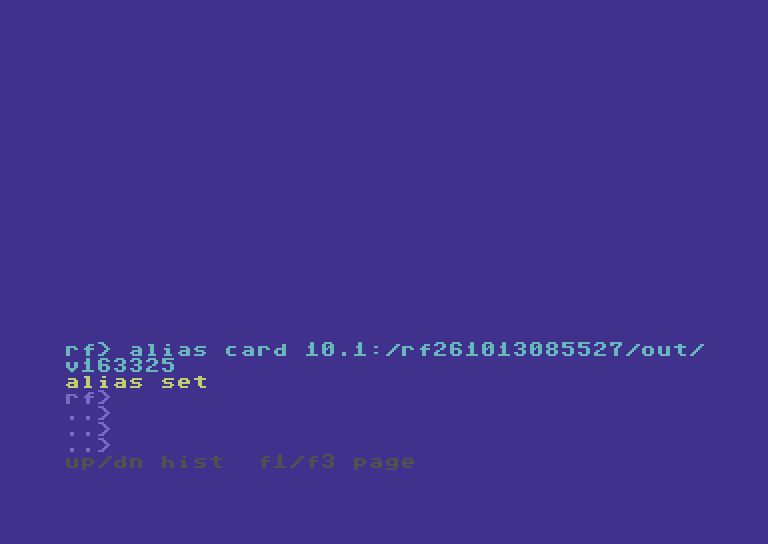
CARD names this SD folder; it does not change its capabilities.
ALIAS CARD 10.1:/rf261013085527/out/v163325
Read the screen text
RF> ALIAS CARD 10.1:/RF261013085527/OUT/
V163325
ALIAS SET
RF>
..>
..>
..>
UP/DN HIST  F1/F3 PAGE
02 · Copy a nested tree
Five files, three subfolders, one recursive copy.
Step 6
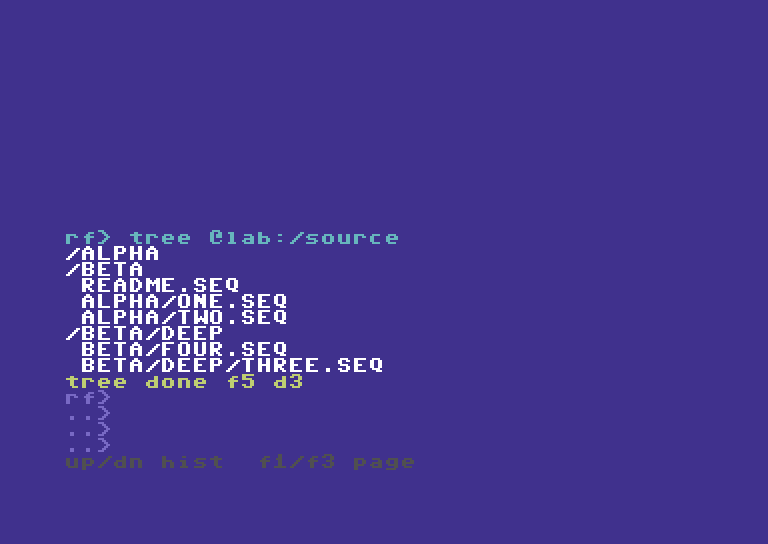
Five source files span alpha, beta and beta/deep.
TREE @LAB:/SOURCE
Read the screen text
RF> TREE @LAB:/SOURCE
/alpha
/beta
 readme.seq
 alpha/one.seq
 alpha/two.seq
/beta/deep
 beta/four.seq
 beta/deep/three.seq
TREE DONE F5 D3
RF>
..>
..>
..>
UP/DN HIST  F1/F3 PAGE
Step 7
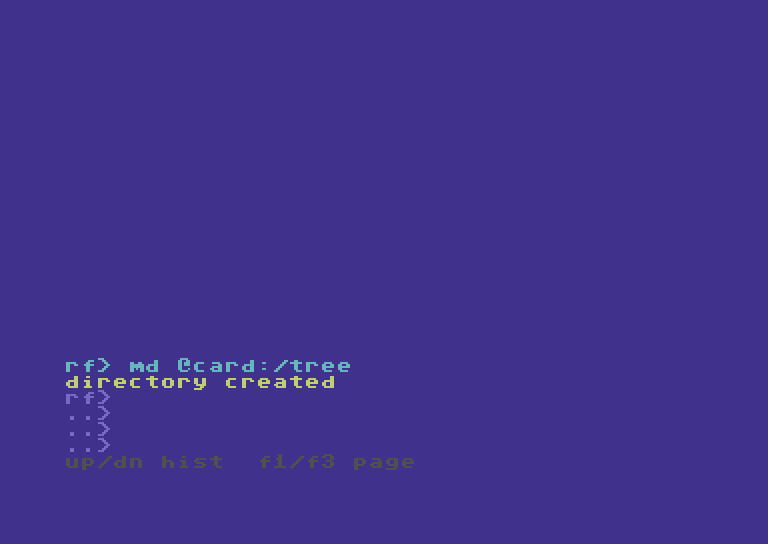
Prepare the destination container.
MD @CARD:/TREE
Read the screen text
RF> MD @CARD:/TREE
DIRECTORY CREATED
RF>
..>
..>
..>
UP/DN HIST  F1/F3 PAGE
Step 8
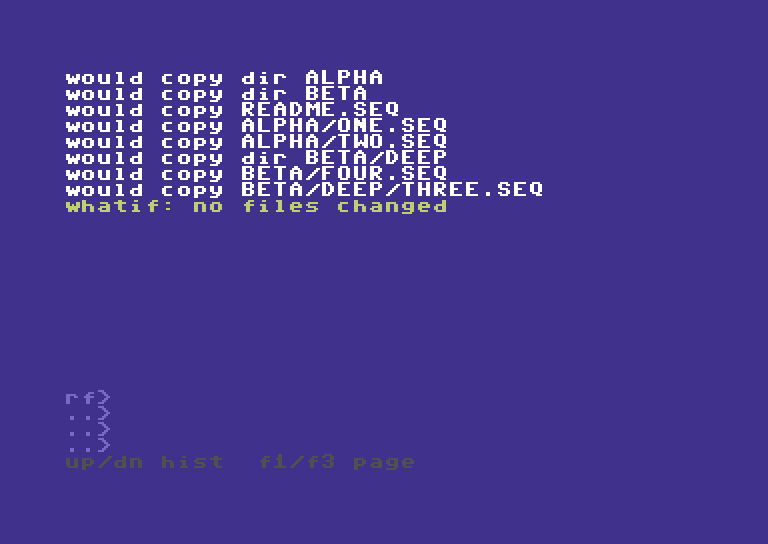
Preview every selected file and folder without writing. What-if previews the plan without changing storage.
COPY @LAB:/SOURCE @CARD:/TREE -R -W
Read the screen text
WOULD COPY DIR alpha
WOULD COPY DIR beta
WOULD COPY readme.seq
WOULD COPY alpha/one.seq
WOULD COPY alpha/two.seq
WOULD COPY DIR beta/deep
WOULD COPY beta/four.seq
WOULD COPY beta/deep/three.seq
WHATIF: NO FILES CHANGED


RF>
..>
..>
..>
UP/DN HIST  F1/F3 PAGE
Step 9
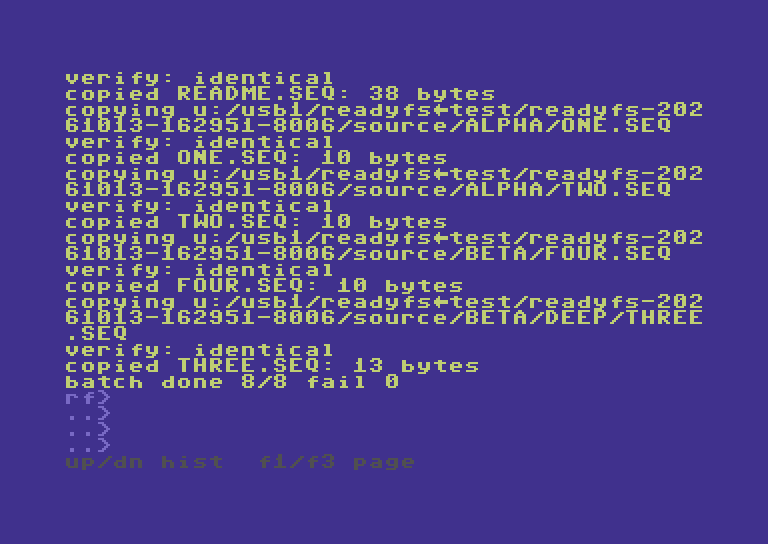
Copy the complete tree; destination verification is enabled.
COPY @LAB:/SOURCE @CARD:/TREE --recursive
Read the screen text
VERIFY: IDENTICAL
COPIED readme.seq: 38 BYTES
COPYING U:/USB1/READYFS.TEST/READYFS-202
61013-162951-8006/SOURCE/alpha/one.seq
VERIFY: IDENTICAL
COPIED one.seq: 10 BYTES
COPYING U:/USB1/READYFS.TEST/READYFS-202
61013-162951-8006/SOURCE/alpha/two.seq
VERIFY: IDENTICAL
COPIED two.seq: 10 BYTES
COPYING U:/USB1/READYFS.TEST/READYFS-202
61013-162951-8006/SOURCE/beta/four.seq
VERIFY: IDENTICAL
COPIED four.seq: 10 BYTES
COPYING U:/USB1/READYFS.TEST/READYFS-202
61013-162951-8006/SOURCE/beta/deep/three
.seq
VERIFY: IDENTICAL
COPIED three.seq: 13 BYTES
BATCH DONE 8/8 FAIL 0
RF>
..>
..>
..>
UP/DN HIST  F1/F3 PAGE
Step 10
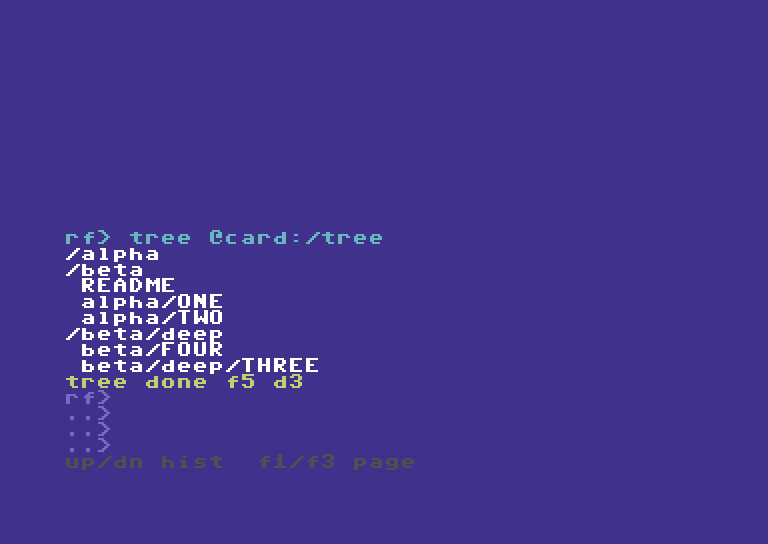
The SD destination keeps the nested layout.
TREE @CARD:/TREE
Read the screen text
RF> TREE @CARD:/TREE
/ALPHA
/BETA
 readme
 ALPHA/one
 ALPHA/two
/BETA/DEEP
 BETA/four
 BETA/DEEP/three
TREE DONE F5 D3
RF>
..>
..>
..>
UP/DN HIST  F1/F3 PAGE
03 · Bring the tree back
Copy SD folders back to Ultimate storage.
Step 11
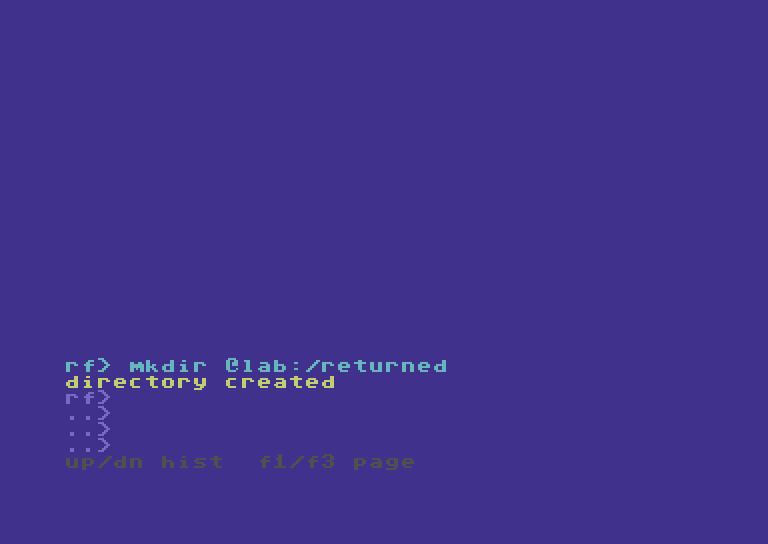
Create a separate host destination for the return copy.
MKDIR @LAB:/RETURNED
Read the screen text
RF> MKDIR @LAB:/RETURNED
DIRECTORY CREATED
RF>
..>
..>
..>
UP/DN HIST  F1/F3 PAGE
Step 12
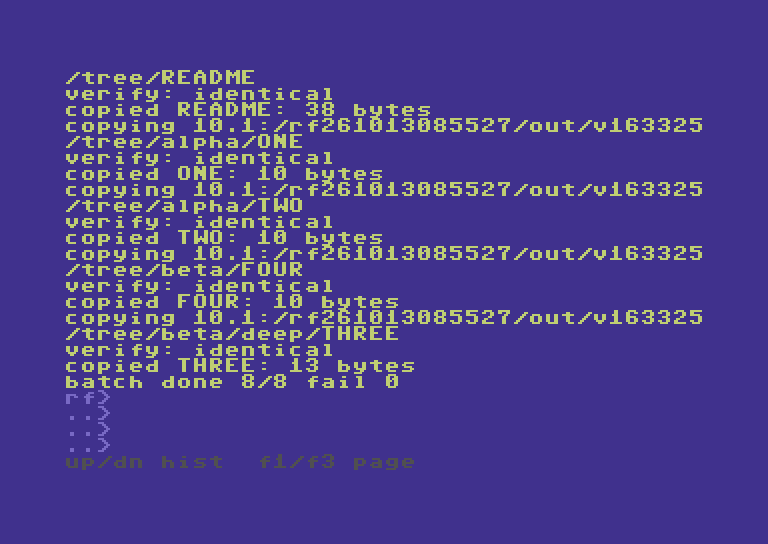
The short CP and -R forms copy all five files back.
CP @CARD:/TREE @LAB:/RETURNED -R
Read the screen text
/TREE/readme
VERIFY: IDENTICAL
COPIED readme: 38 BYTES
COPYING 10.1:/RF261013085527/OUT/V163325
/TREE/ALPHA/one
VERIFY: IDENTICAL
COPIED one: 10 BYTES
COPYING 10.1:/RF261013085527/OUT/V163325
/TREE/ALPHA/two
VERIFY: IDENTICAL
COPIED two: 10 BYTES
COPYING 10.1:/RF261013085527/OUT/V163325
/TREE/BETA/four
VERIFY: IDENTICAL
COPIED four: 10 BYTES
COPYING 10.1:/RF261013085527/OUT/V163325
/TREE/BETA/DEEP/three
VERIFY: IDENTICAL
COPIED three: 13 BYTES
BATCH DONE 8/8 FAIL 0
RF>
..>
..>
..>
UP/DN HIST  F1/F3 PAGE
Step 13
Read the returned tree; SD logical names can omit type suffixes.
TREE @LAB:/RETURNED
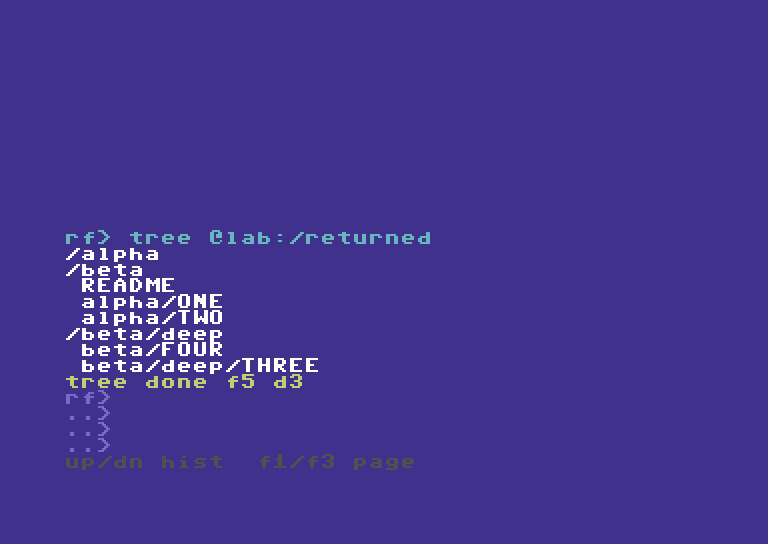
Read the screen text
RF> TREE @LAB:/RETURNED
/ALPHA
/BETA
 readme
 ALPHA/one
 ALPHA/two
/BETA/DEEP
 BETA/four
 BETA/DEEP/three
TREE DONE F5 D3
RF>
..>
..>
..>
UP/DN HIST  F1/F3 PAGE
04 · Other IEC endpoints
Select two files when the destination is flat.
Step 14
SoftwareIEC is a mapped endpoint, separate from SD2IEC.
AL SOFT s0:/READYFS_TEST/readyfs-20261013-162951-8006/
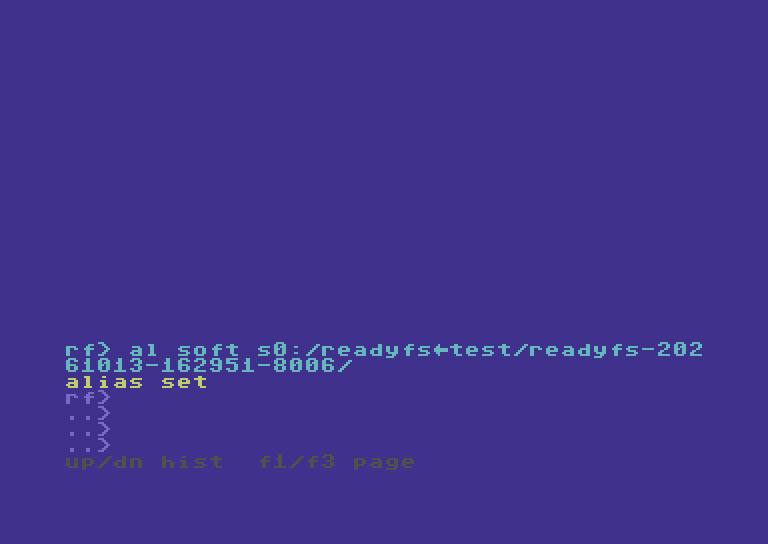
Read the screen text
RF> AL SOFT S0:/READYFS.TEST/READYFS-202
61013-162951-8006/
ALIAS SET
RF>
..>
..>
..>
UP/DN HIST  F1/F3 PAGE
Step 15
Copy a chosen nested file into the flat IEC image.
COPY @CARD:/TREE/ALPHA/one 9:/V163325A
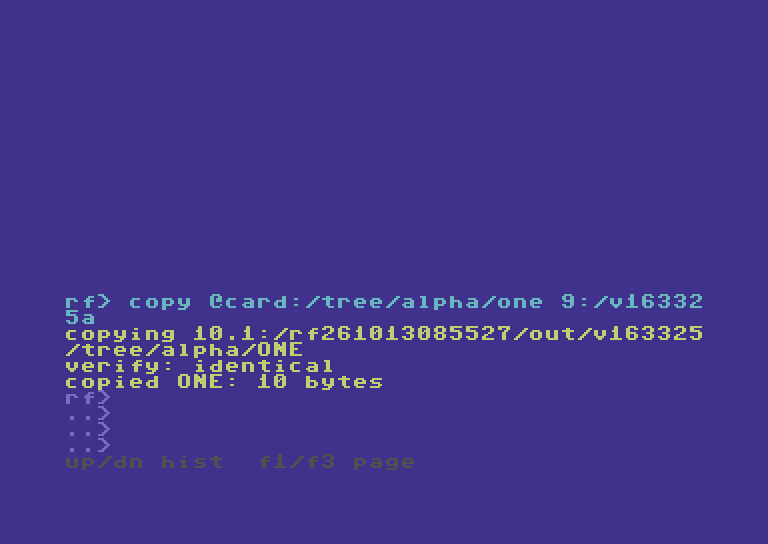
Read the screen text
RF> COPY @CARD:/TREE/ALPHA/ONE 9:/V16332
5A
COPYING 10.1:/RF261013085527/OUT/V163325
/TREE/ALPHA/one
VERIFY: IDENTICAL
COPIED one: 10 BYTES
RF>
..>
..>
..>
UP/DN HIST  F1/F3 PAGE
Step 16
Copy the same chosen file through SoftwareIEC.
CP @CARD:/TREE/ALPHA/one @SOFT:/V163325A
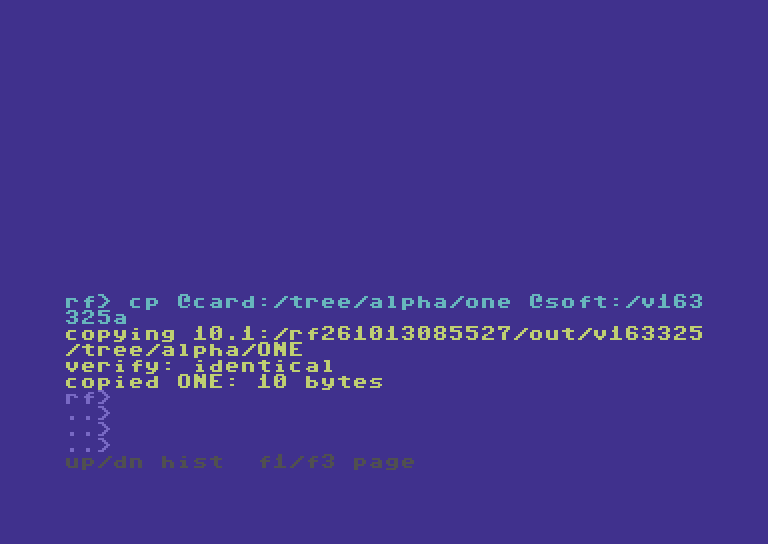
Read the screen text
RF> CP @CARD:/TREE/ALPHA/ONE @SOFT:/V163
325A
COPYING 10.1:/RF261013085527/OUT/V163325
/TREE/ALPHA/one
VERIFY: IDENTICAL
COPIED one: 10 BYTES
RF>
..>
..>
..>
UP/DN HIST  F1/F3 PAGE
Step 17
Copy a chosen nested file into the flat IEC image.
COPY @CARD:/TREE/ALPHA/two 9:/V163325B
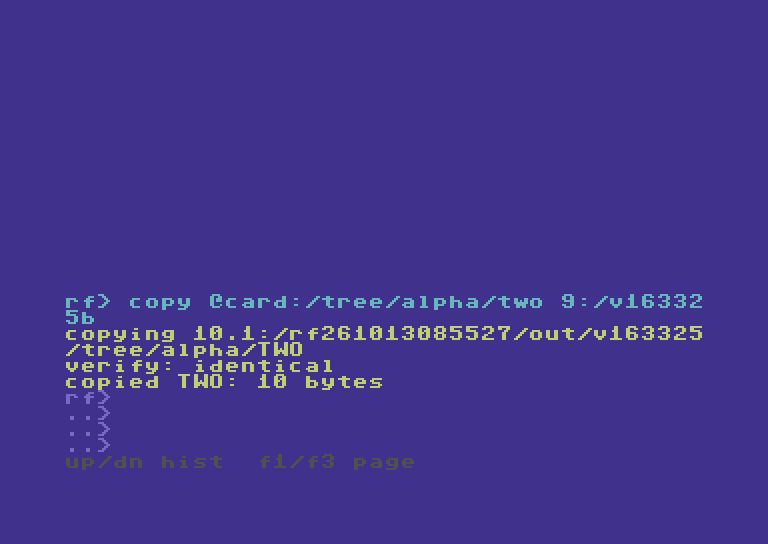
Read the screen text
RF> COPY @CARD:/TREE/ALPHA/TWO 9:/V16332
5B
COPYING 10.1:/RF261013085527/OUT/V163325
/TREE/ALPHA/two
VERIFY: IDENTICAL
COPIED two: 10 BYTES
RF>
..>
..>
..>
UP/DN HIST  F1/F3 PAGE
Step 18
Copy the same chosen file through SoftwareIEC.
CP @CARD:/TREE/ALPHA/two @SOFT:/V163325B
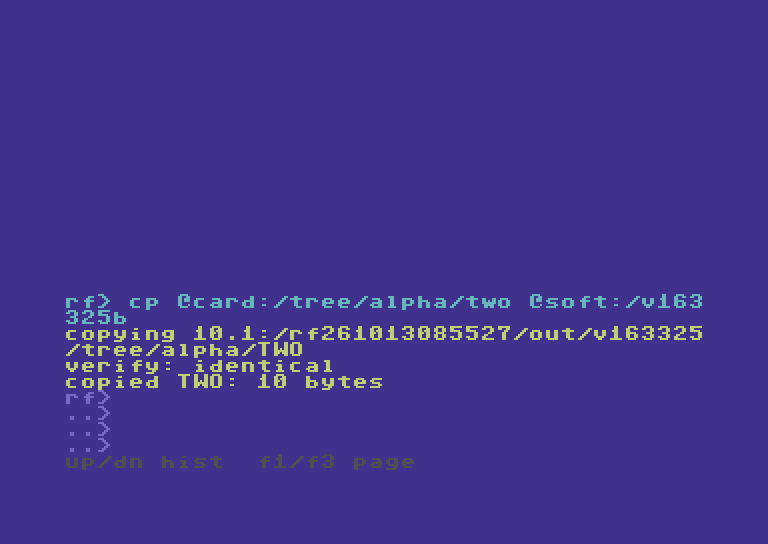
Read the screen text
RF> CP @CARD:/TREE/ALPHA/TWO @SOFT:/V163
325B
COPYING 10.1:/RF261013085527/OUT/V163325
/TREE/ALPHA/two
VERIFY: IDENTICAL
COPIED two: 10 BYTES
RF>
..>
..>
..>
UP/DN HIST  F1/F3 PAGE
05 · Open an SD disk image
Mount first; then address files through device 10.
Step 19
Mount only the owned test image; device 10 now shows its contents.
MOUNT 10.1:/rf261013085527/out/i1013100749.d64 --force
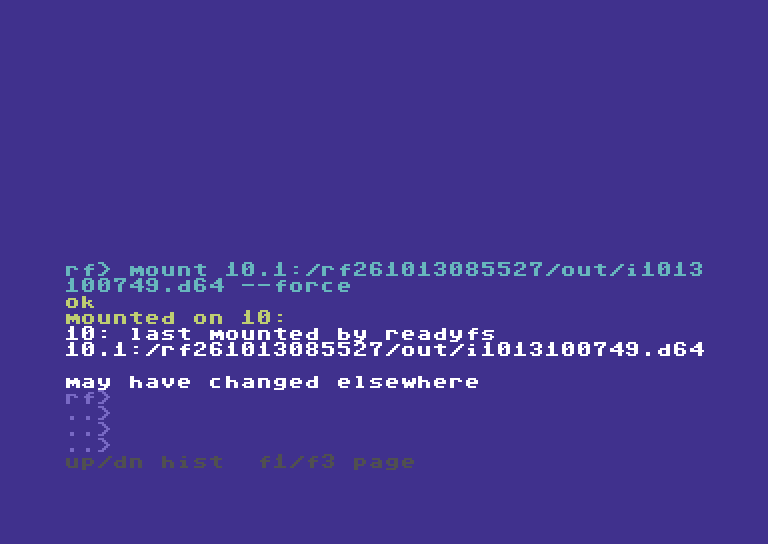
Read the screen text
RF> MOUNT 10.1:/RF261013085527/OUT/I1013
100749.D64 --FORCE
OK
MOUNTED ON 10:
10: LAST MOUNTED BY READYFS
10.1:/RF261013085527/OUT/I1013100749.D64

MAY HAVE CHANGED ELSEWHERE
RF>
..>
..>
..>
UP/DN HIST  F1/F3 PAGE
Step 20
The native reply confirms the mounted D64 view.
IEC 10: PARTITION 1
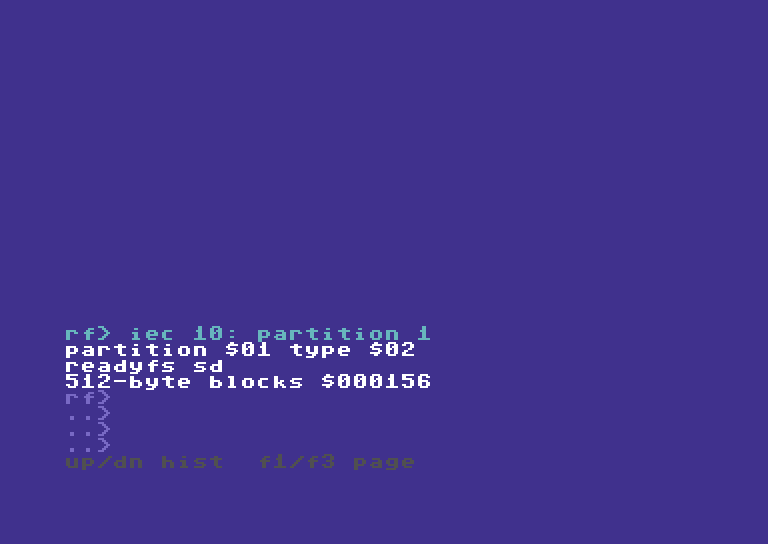
Read the screen text
RF> IEC 10: PARTITION 1
PARTITION $01 TYPE $02
READYFS SD
512-BYTE BLOCKS $000156
RF>
..>
..>
..>
UP/DN HIST  F1/F3 PAGE
Step 21
Inspect the actual disk-image directory.
DIR 10.1:/
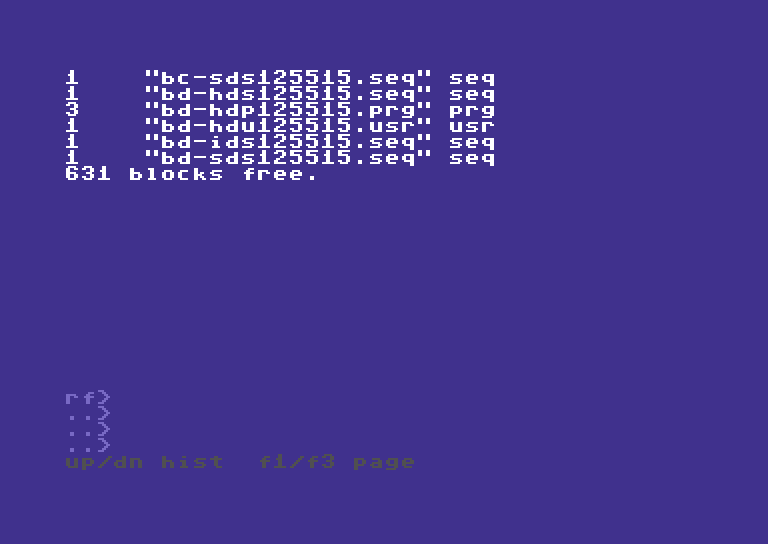
Read the screen text
1    "BC-SDS125515.SEQ" SEQ
1    "BD-HDS125515.SEQ" SEQ
3    "BD-HDP125515.PRG" PRG
1    "BD-HDU125515.USR" USR
1    "BD-IDS125515.SEQ" SEQ
1    "BD-SDS125515.SEQ" SEQ
631 BLOCKS FREE.


RF>
..>
..>
..>
UP/DN HIST  F1/F3 PAGE
06 · Copy inside both images
SD mounts and Ultimate slash paths work differently.
Step 22
Use the host return copy while the SD FAT folder is unavailable.
COPY @LAB:/RETURNED/ALPHA/one 10.1:/V163325A
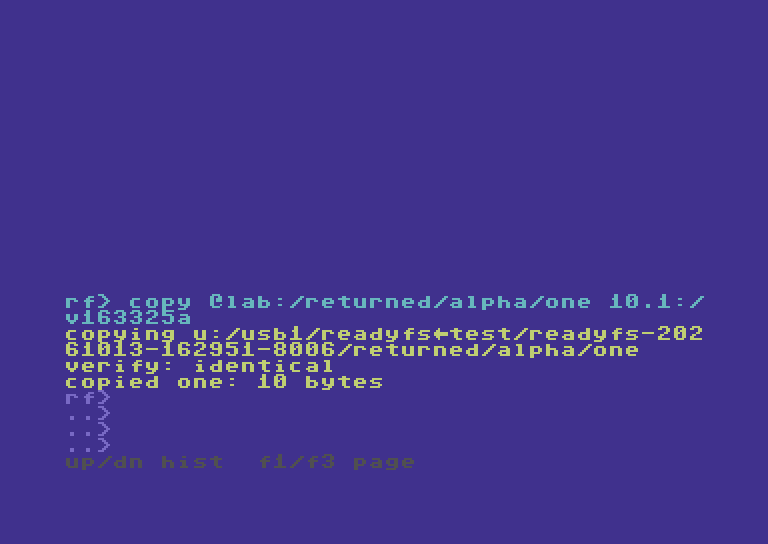
Read the screen text
RF> COPY @LAB:/RETURNED/ALPHA/ONE 10.1:/
V163325A
COPYING U:/USB1/READYFS.TEST/READYFS-202
61013-162951-8006/RETURNED/ALPHA/ONE
VERIFY: IDENTICAL
COPIED ONE: 10 BYTES
RF>
..>
..>
..>
UP/DN HIST  F1/F3 PAGE
Step 23
Write directly inside the separate, unmounted Ultimate D64.
CP 10.1:/V163325A @LAB:/HOST.D64/one.SEQ
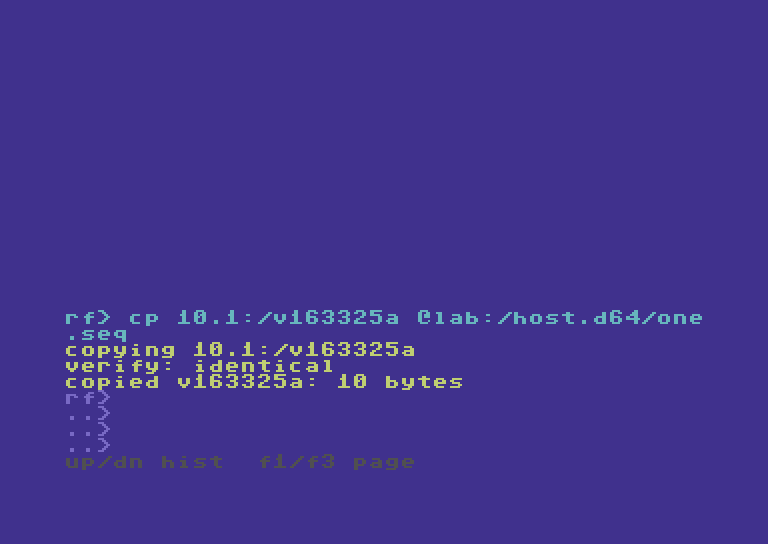
Read the screen text
RF> CP 10.1:/V163325A @LAB:/HOST.D64/ONE
.SEQ
COPYING 10.1:/V163325A
VERIFY: IDENTICAL
COPIED V163325A: 10 BYTES
RF>
..>
..>
..>
UP/DN HIST  F1/F3 PAGE
Step 24
Use the host return copy while the SD FAT folder is unavailable.
COPY @LAB:/RETURNED/ALPHA/two 10.1:/V163325B
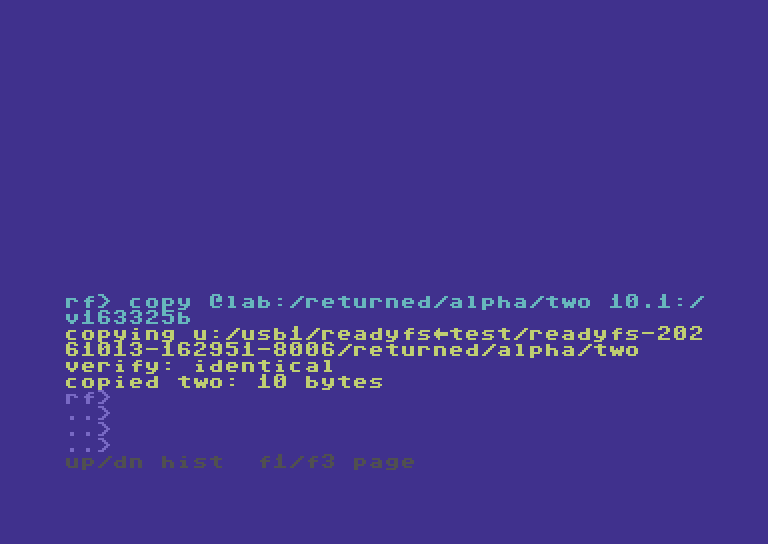
Read the screen text
RF> COPY @LAB:/RETURNED/ALPHA/TWO 10.1:/
V163325B
COPYING U:/USB1/READYFS.TEST/READYFS-202
61013-162951-8006/RETURNED/ALPHA/TWO
VERIFY: IDENTICAL
COPIED TWO: 10 BYTES
RF>
..>
..>
..>
UP/DN HIST  F1/F3 PAGE
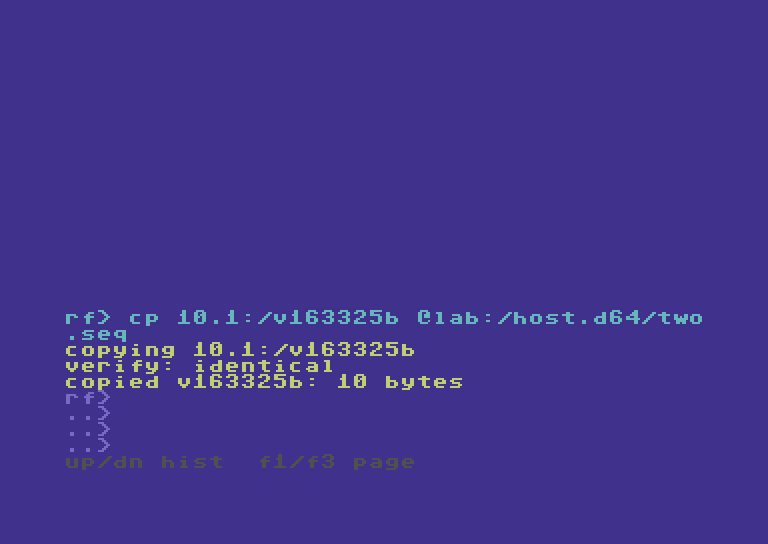
Step 25
Write directly inside the separate, unmounted Ultimate D64.
CP 10.1:/V163325B @LAB:/HOST.D64/two.SEQ
Read the screen text
RF> CP 10.1:/V163325B @LAB:/HOST.D64/TWO
.SEQ
COPYING 10.1:/V163325B
VERIFY: IDENTICAL
COPIED V163325B: 10 BYTES
RF>
..>
..>
..>
UP/DN HIST  F1/F3 PAGE
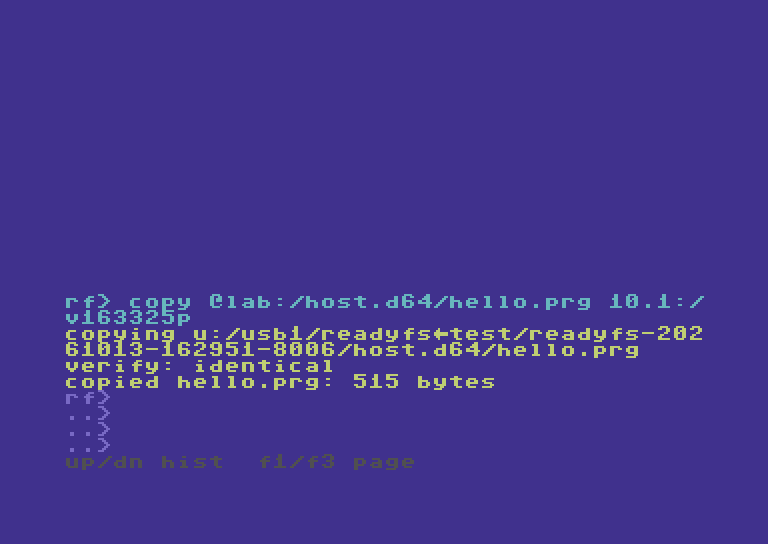
Step 26
Reverse the direction and preserve the PRG type.
COPY @LAB:/HOST.D64/HELLO.PRG 10.1:/V163325P
Read the screen text
RF> COPY @LAB:/HOST.D64/HELLO.PRG 10.1:/
V163325P
COPYING U:/USB1/READYFS.TEST/READYFS-202
61013-162951-8006/HOST.D64/HELLO.PRG
VERIFY: IDENTICAL
COPIED HELLO.PRG: 515 BYTES
RF>
..>
..>
..>
UP/DN HIST  F1/F3 PAGE
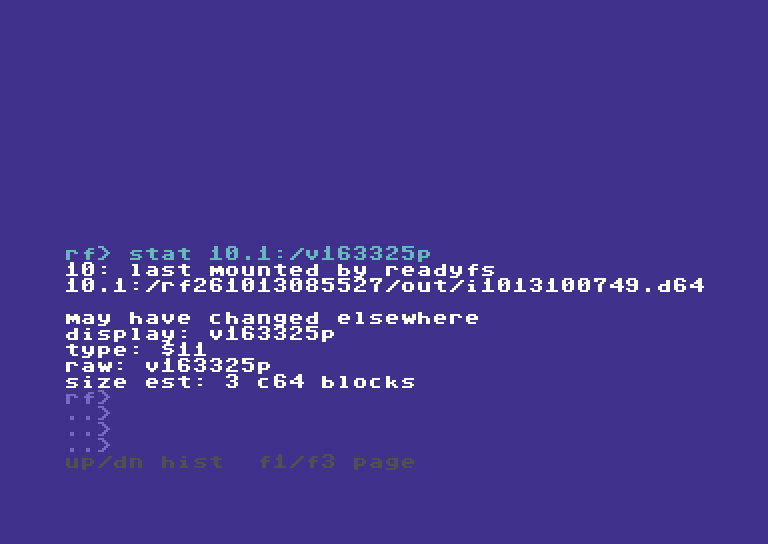
Step 27
The native directory reports PRG, not just matching bytes.
STAT 10.1:/V163325P
Read the screen text
RF> STAT 10.1:/V163325P
10: LAST MOUNTED BY READYFS
10.1:/RF261013085527/OUT/I1013100749.D64

MAY HAVE CHANGED ELSEWHERE
DISPLAY: V163325P
TYPE: $11
RAW: V163325P
SIZE EST: 3 C64 BLOCKS
RF>
..>
..>
..>
UP/DN HIST  F1/F3 PAGE
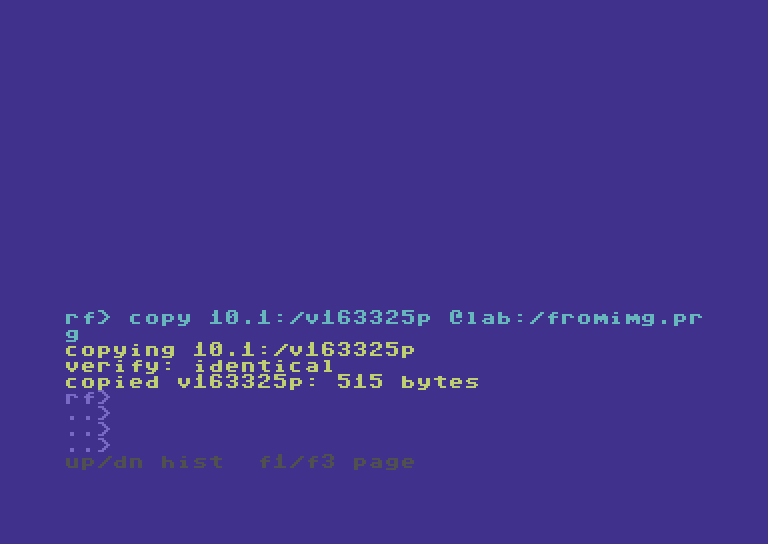
Step 28
Save an intermediate file before returning to SD folders.
COPY 10.1:/V163325P @LAB:/FROMIMG.PRG
Read the screen text
RF> COPY 10.1:/V163325P @LAB:/FROMIMG.PR
G
COPYING 10.1:/V163325P
VERIFY: IDENTICAL
COPIED V163325P: 515 BYTES
RF>
..>
..>
..>
UP/DN HIST  F1/F3 PAGE
07 · Return to SD folders
Close image access before copying back onto SD.
Step 29
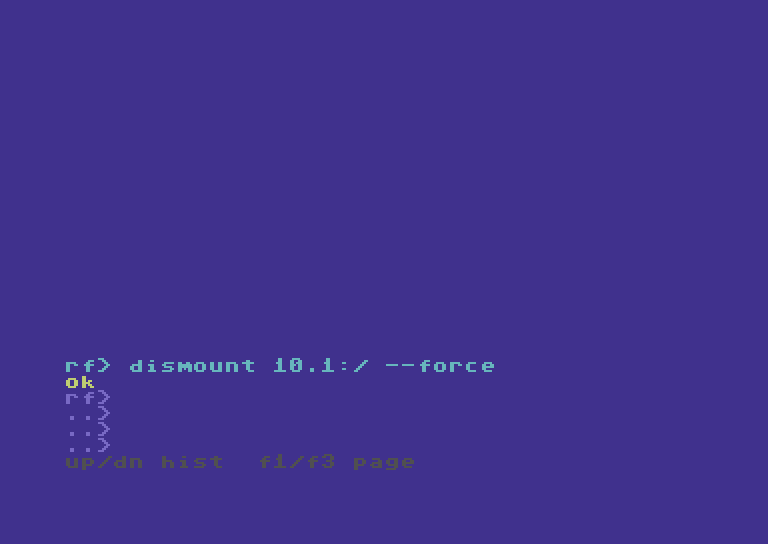
Return partition 1 to its FAT directory view.
DISMOUNT 10.1:/ --force
Read the screen text
RF> DISMOUNT 10.1:/ --FORCE
OK
RF>
..>
..>
..>
UP/DN HIST  F1/F3 PAGE
Step 30
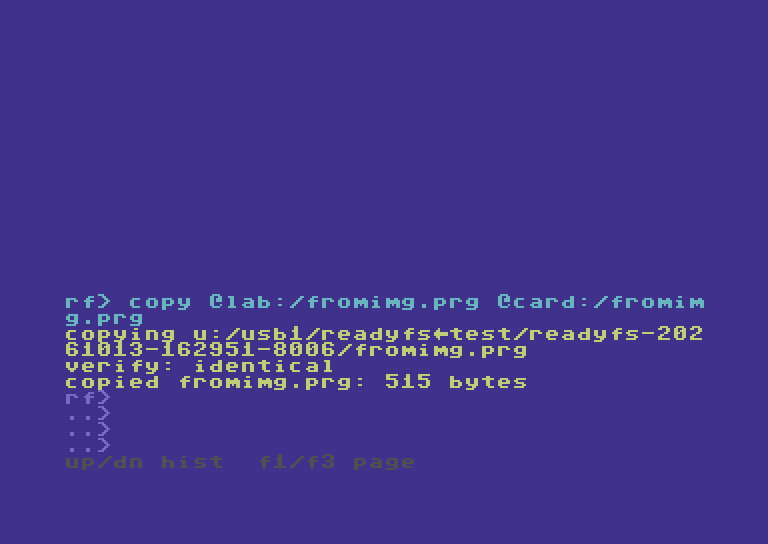
Complete image-to-SD-folder transfer through the intermediate host file.
COPY @LAB:/FROMIMG.PRG @CARD:/FROMIMG.PRG
Read the screen text
RF> COPY @LAB:/FROMIMG.PRG @CARD:/FROMIM
G.PRG
COPYING U:/USB1/READYFS.TEST/READYFS-202
61013-162951-8006/FROMIMG.PRG
VERIFY: IDENTICAL
COPIED FROMIMG.PRG: 515 BYTES
RF>
..>
..>
..>
UP/DN HIST  F1/F3 PAGE
Step 31
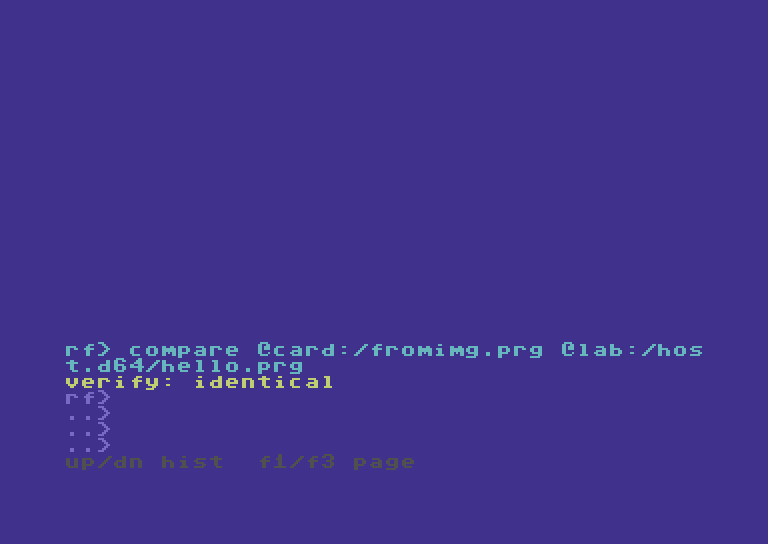
Both image styles and the final SD file contain the same PRG bytes.
COMPARE @CARD:/FROMIMG.PRG @LAB:/HOST.D64/HELLO.PRG
Read the screen text
RF> COMPARE @CARD:/FROMIMG.PRG @LAB:/HOS
T.D64/HELLO.PRG
VERIFY: IDENTICAL
RF>
..>
..>
..>
UP/DN HIST  F1/F3 PAGE
Step 32
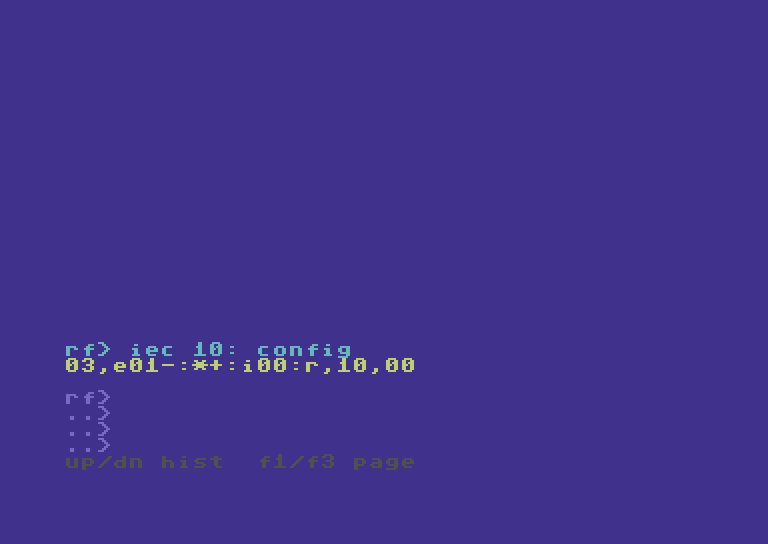
Configuration is unchanged; no EEPROM save was needed.
IEC 10: CONFIG
Read the screen text
RF> IEC 10: CONFIG
03,E01-:*+:I00:R,10,00

RF>
..>
..>
..>
UP/DN HIST  F1/F3 PAGE